It has been many years since I’ve been able to update i-Biology.net. It was a labour of love over the years and took about seven years to flesh out completely. I still keep it alive in case it is useful, but over the last week or so have spent evenings on thinking through what I would do in the age of AI.
Here’s the beginning of a study guide resource, just in time for IB Biology exams next week: https://ifyouuseme.ai/i-biology
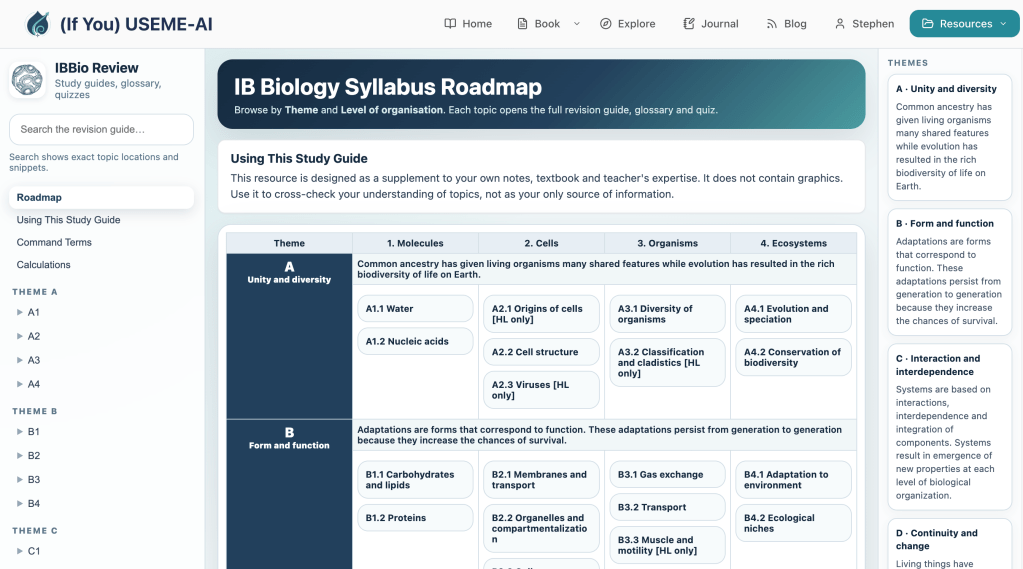
The Roadmap front page shows all the topics of the IB Biology syllabus. The “Using This Study Guide” page has tips for review, as well as some tips for how students might use AI as a study partner with the content.
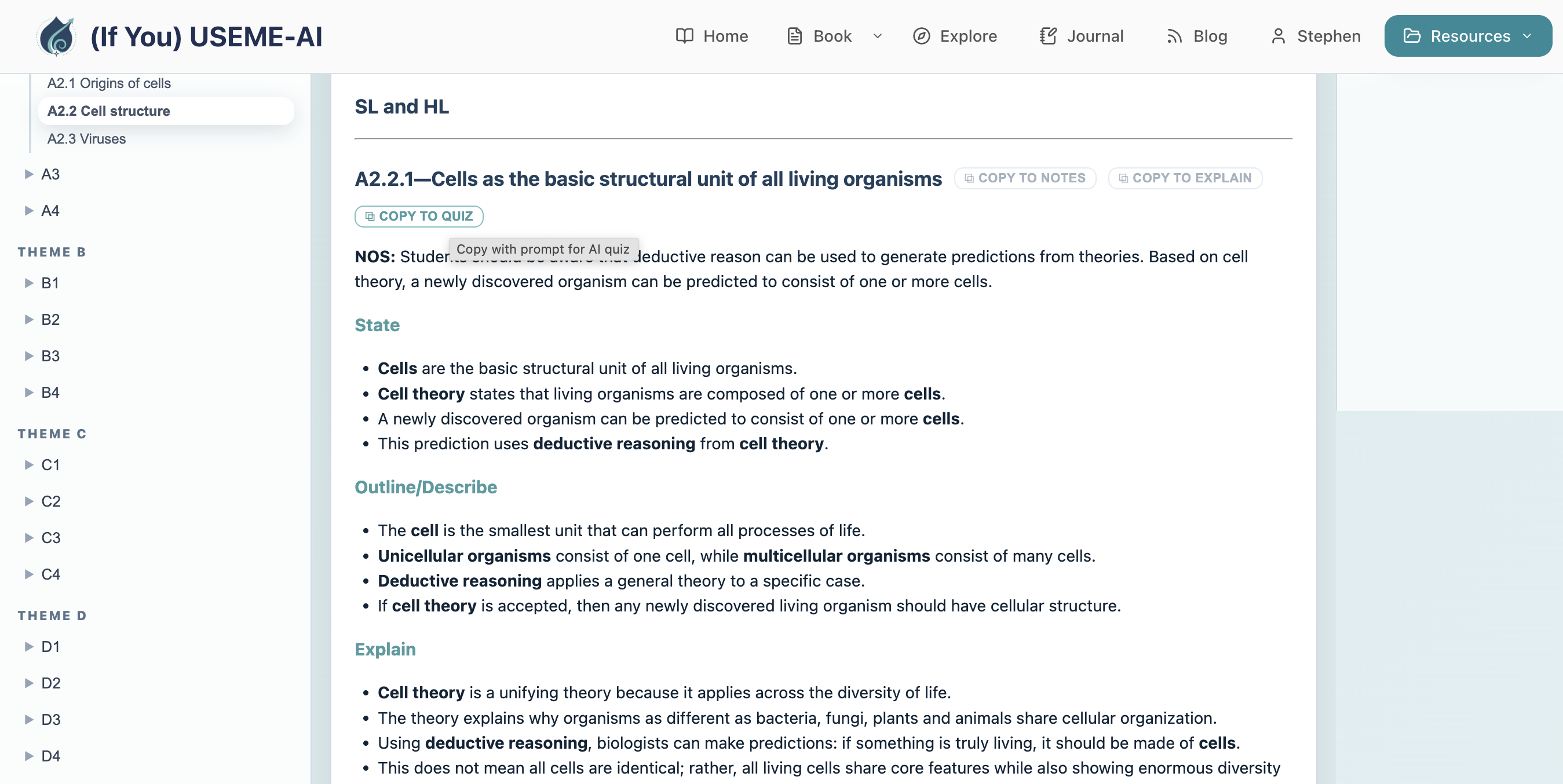
Each topic and subtopic contains text-only, mobile-friendly notes, a the State, Outline/Describe and Explain levels. This includes topics that would not normally go to the Explain level. This is so that students can read the same content in increasing levels of depth and shake some thinking loose.
Each subtopic also includes buttons for “Copy to Notes” (copy the text and keep it), “Copy to Explain” (with a three-level explainer prompt attached), and “Copy to Quiz” (with a five-question MC quiz prompt attached). When students click on these and paste to their own AI, it produces a quiz or explanation.
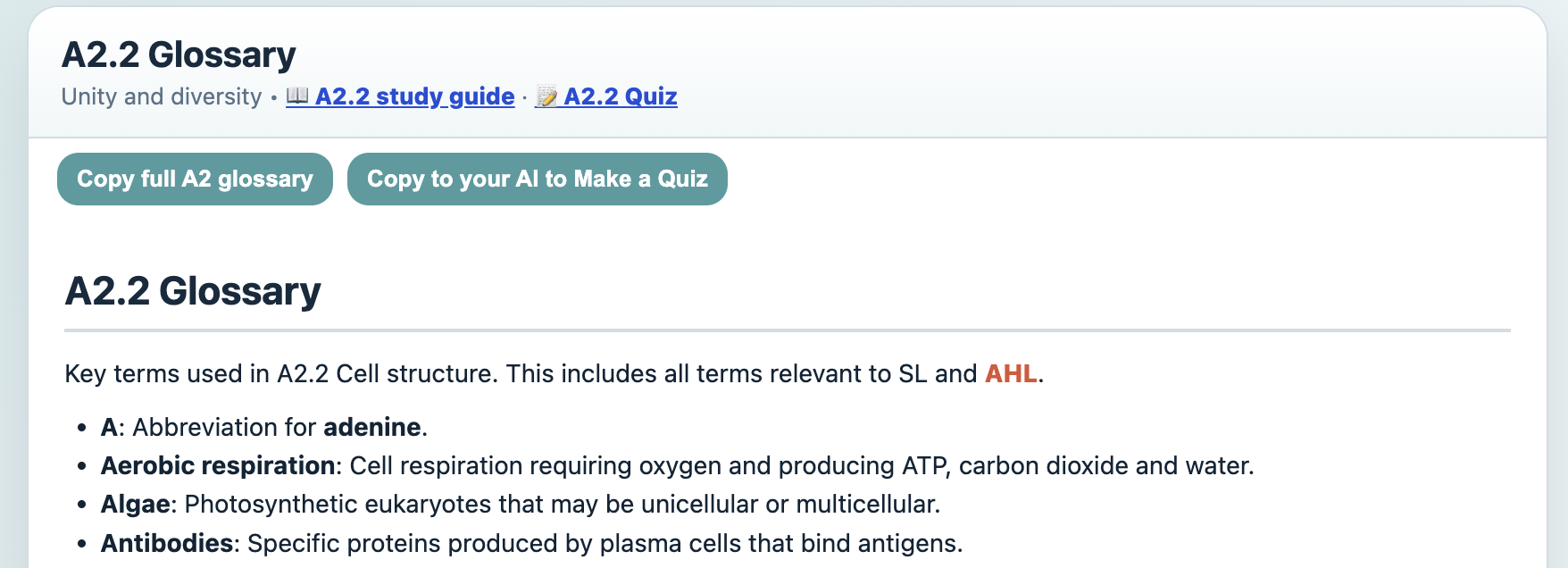
Each subtopic has a Glossary. This can be copied (to paste to their own notes or AI), or copied with a MC quiz prompt attached to generate a quiz in their own AI.
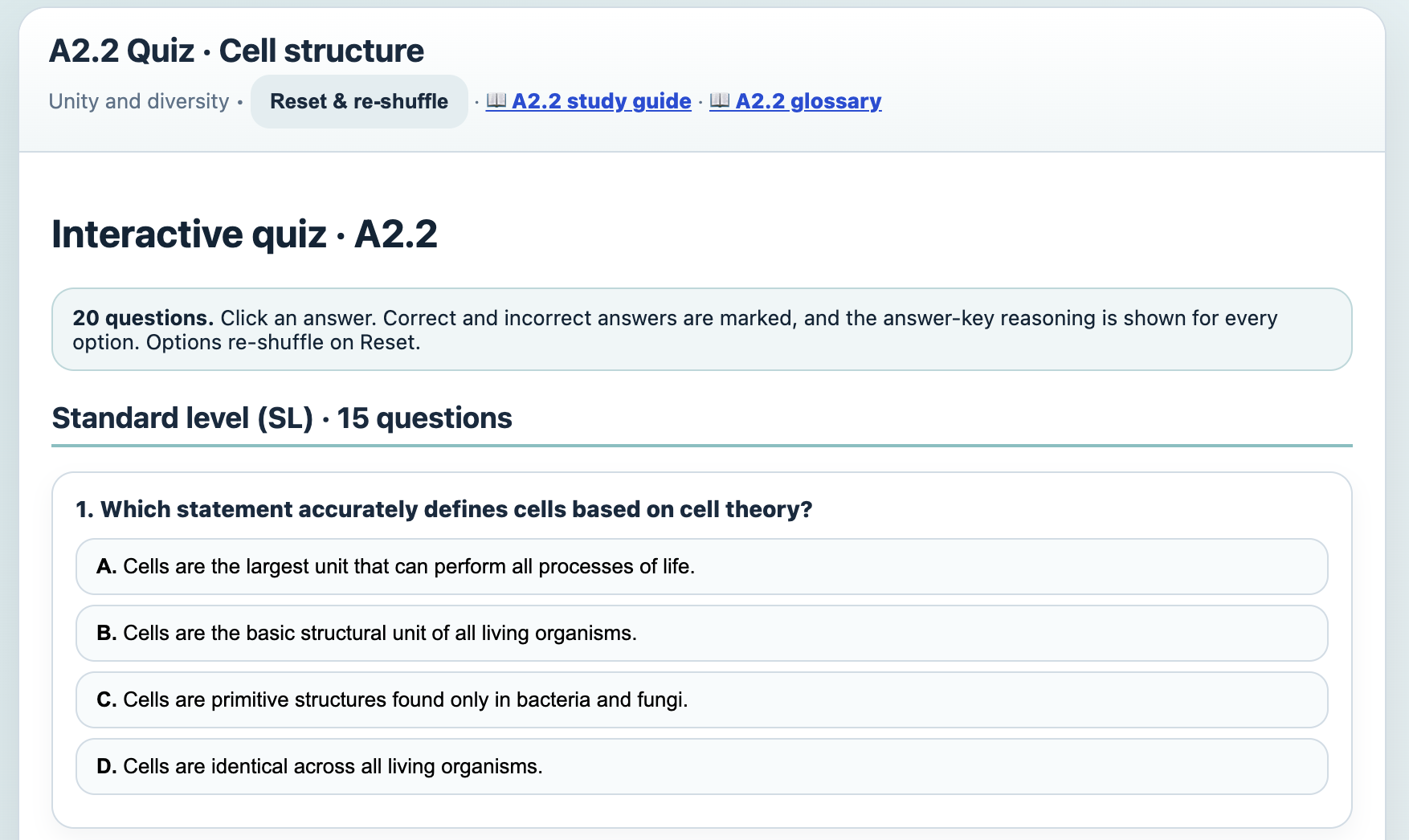
Each subtopic also has a static self-grading MC quiz with 20 questions. Each correct and incorrect answer is explained. They reset and reshuffle answers to try again.
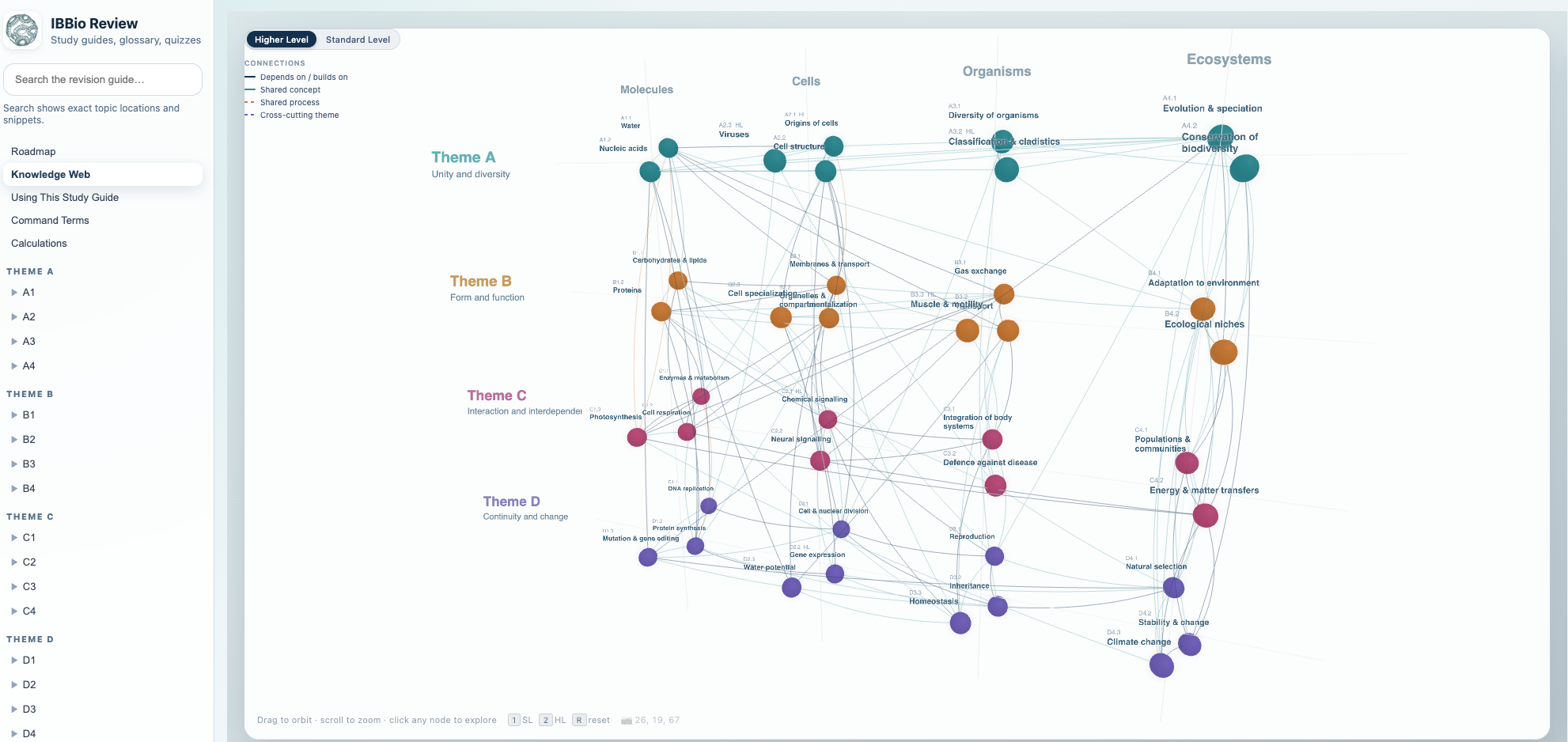
There is also an interactive Knowledge Web that shows the connections between topics. When I was teaching IBBio, our class mantra was “Everything’s Connected (the one true subject…)“:
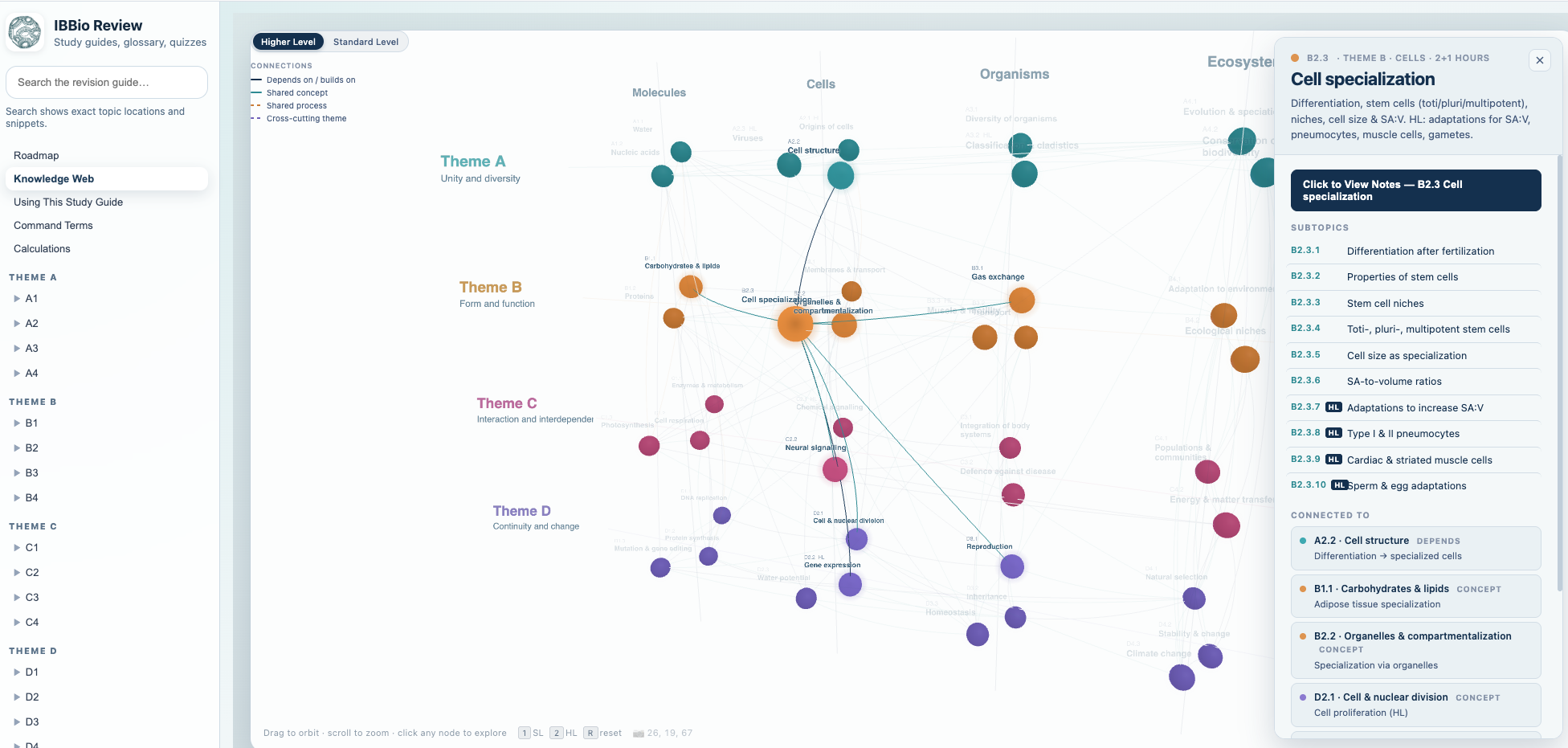
When nodes are clicked, connections and reasons are shown. It links to the notes page for the main topic:
This Study Guide doesn’t have images (they are too expensive to generate and there are plenty of good ones in their textbooks or teachers’ materials. This is intended to be a supplement to high-quality notes, not a replacement of them. I’d recommend students using this with pen-and-paper note-taking, frequent quizzing and reference to quality instructional materials.
I might add more features for next year, but we’ll see.
How this was made:
- Lots of reading of the IB Biology guide and trying to cross-reference with the materials from I-Biology.
- Breaking the guide into sectional .md files.
- Creating one master .md file for the syllabus.
- Generating extensive .md files of each topic to add notes for the three levels for each topic. Reading, review and checking.
- Designing the layout, features and style in Claude Code and populating with the .md content from the notes.
- Exporting to Lovable for hosting and further editing (this was more efficient and less expensive).
- Editing, tinkering and adjusting.
- Appending to the (If You) USEME-AI site.
- Testing, editing and tinkering some more.
- More tinkering.
When students use this Study Guide, they are not using AI at all. All elements are copyable to allow them to use any content in their own notes or AI tutors if they want.


Thank-you for your comments.