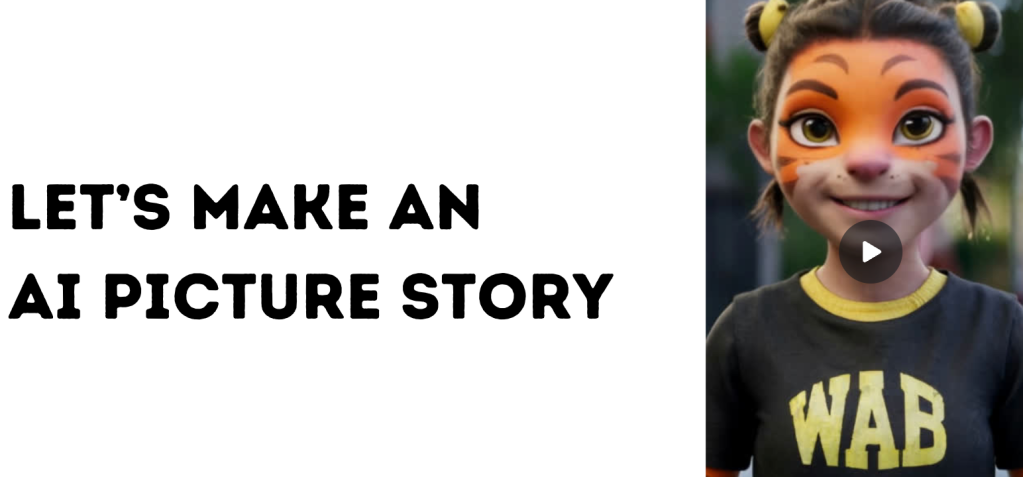
We started using ElevenLabs and HeyGen last year for demonstrations of some of the powers of new AI tools. Here’s a quick post to share a workflow for making animated AI buddies for use in workshops/assets.
Older posts:
- Voice synthesis with ElevenLabs for the WAB Podcast (March 2023)
- Using HeyGen for multilingual workshops (LinkedIN, Sept2023)
Where HeyGen’s video-video translate function is really useful, HeyGen can also generate video from a script, using a photo or virtual avatar. This also means you only need one good trained avatar (and so you don’t need multiple takes of the original video). It also means you only need one good hair day…
For two recent student workshops, I used “AI Buddies” in presentations. One was for Grade 2’s UOI provocation on how voices inspire change (in English). The other was for our winter camp for the children of WAB staff whose kids’ local schools were already on break (in Chinese). It works really well, will get better, and has a lot of potential for use in multilingual settings.
Here’s the workflow:
1/ Generate some “Buddies” in Bing.
At the time, it had some of the most reliable text-in-image, and I wanted the Buddies to be wearing WAB sports kit. I first tried to make tigers as buddies, but the next step didn’t work, as the face wasn’t human enough. The compromise was characters with tiger face-paint.
2/ Write some short sets of instructions in English.
HeyGen processes credits in units of 30seconds. Instructions for translation are best when as concise as possible.
3/ Use HeyGen to generated translated animated videos & captions.
- Upload the Buddy, enter the script.
- Translate to Chinese and process the video.
- When the video is done, enable captions and download the video.
4/ Use the video assets in projects.
In this project, I put the videos into Canva, for use in the workshops.
App-Smashing Canva’s Magic Media & HeyGen
Here is the slide-deck for the winter camp workshop. We had about 25 kids and one hour, and were using Canva’s Magic Media features to create short stories with pictures. With none of the students speaking English, I used the Buddies to give instructions in Chinese, and had help from the staff. Click here for full screen.
The students used a supervised shared Canva account to try the tools. They wrote their story ideas in Chinese, and we helped them write prompts in Magic Media to make their storyboard.
The Magic Translate feature in Canva was useful to translate some of the text instruction slides.
HeyGen’s Potential in Education
Although it is relatively expensive to use ($29/month for 15 minutes of processing), the thoughtful use of HeyGen could be powerful. Some ideas include:
- Translating key concepts in workshops for parents or staff.
- Creating assets to explain important concepts/policies in the school in multiple languages.
- Creating hooks/provocations for units of inquiry.
I’d think carefully about how this can be deployed effectively. The novelty quickly wears off, but it can be very useful.
Some other considerations, related to automated translation. The same principles can be applied to any writing in English for multilingual audiences who might be using translation software to understand communications.
- Scripts with shorter sentences might be less likely to have errors.
- Education is loaded with jargon and acronyms, that auto-translations can struggle with. Avoid these as much as possible.
- Idiomatic language is rife in English, and literal auto-translators can struggle with this. Focus on clear communication.
- Your jokes might not be as funny as you think they are, when mangled by a translation software…
If you’re curious about the power of multimedia AI in education, it is worth trying out HeyGen and seeing what use-cases you can find. It will only get more powerful from here, which also opens the doors for conversations about ethics, safety, deepfakes and digital citizenship.
If you’ve been trying something out like this, let me know on LinkedIN 🙂

 Wayfinder Learning Lab - Stephen Taylor
Thank-you for your comments.