A short post to capture a process and reflection on creating custom GPT’s in ChatGPT Plus. For a long time, I’d held back on ChatGPT, for a few reasons:
- Accessibility in China
- A focus on Perplexity as an accessible, search-focused alternative
- A bit of messing with Poe
I had tried ChatGPT plugins, and when Custom GPT’s were released, I wasn’t immediately convinced, but now I get it. I think.
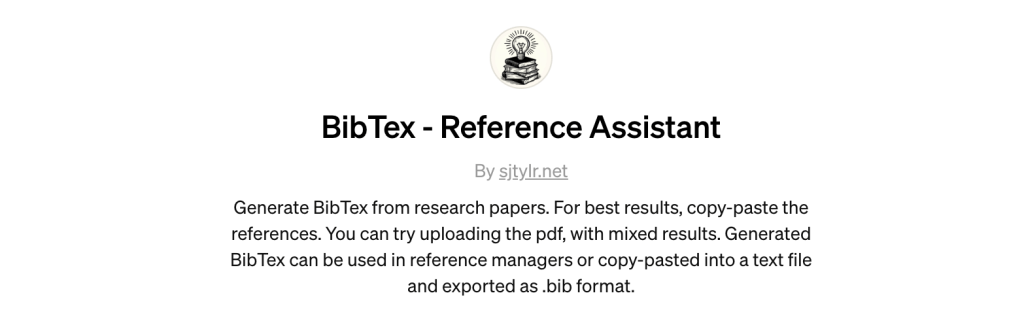
This video shows how to use my first (published) Custom GPT: BibTex Reference Assistant. It is designed to assist with the annoyingly clicky-typey task of getting references from a research paper into a reference manager.
- This doesn’t do any thinking, it just partially automates a process.
- It took a lot of fiddling to get it mostly right. And by fiddling, I mean negotiating with the GPT creation bot.
Link to the GPT: https://chat.openai.com/g/g-fH8hsX6l6-bibtex-reference-assistant
Some reflections on making the GPT:
- My initial goal was to create a GPT that could output a .bib file directly, but it was not meant to be. Maybe in future developments, ChatGPT will be able to create custom GPT’s that produce files.
- However, copy-pasting the code-block into the reference manager directly (I use Paperpile), works just fine.
- I had to fight with ChatGPT a bit to make the GPT work to completion. It will still sometimes stop part-way.
- When I tried the same process back in the Code Interpreter days, it was less likely to get lazy…
- I also wanted it to be able to take a pdf and pull out the references directly. It can do this, but with mixed results.

Here’s what it looks like when you’re making the GPT…
This task is actually pretty simple, so doesn’t need the slow power of GPT-4. It runs well enough (and faster) in GPT3.5.
- You could skip the GPT altogether and just use the following prompt: “Please convert this list of references into BibTex for use in a reference manager [paste list].”
Despite the challenges, making the GPT took about as much time as it would have normally taken to manually copy references from one paper into the reference manager, so any use now is a time-saver.
Some tips for using this GPT:
- It might work with pdf directly, if the reference list is short.
- It is more likely to work well if a copy-pasted from the paper, in blocks of up to about 15-20 references.
- Once the references are imported into the reference manager, there needs to be a check on each. It is quicker to correct/edit at this stage, than earlier.
The biggest challenge with creating the custom GPT was at the publish stage: the username of the publisher defaults to the name on the payment method used on your ChatGPT account. This seems like a security and privacy risk that I’m not comfortable with – I don’t want my credit card name appearing on here.
So for the workaround, I needed to access the DNS settings of this site, and use a txt file from ChatGPT to verify my domain. A bit fiddly, but at least it is publishing.

 Wayfinder Learning Lab - Stephen Taylor
Thank-you for your comments.